 Feather
A beautiful desktop that stays fast
Feather is a Linux desktop with its own Wayland compositor written in Rust. Live glass on the GPU, spring animations and three window layout modes. When you do nothing, so does the CPU: 0% at idle.
curl -fsSL https://zumka1991.github.io/feather-de/install.sh | bash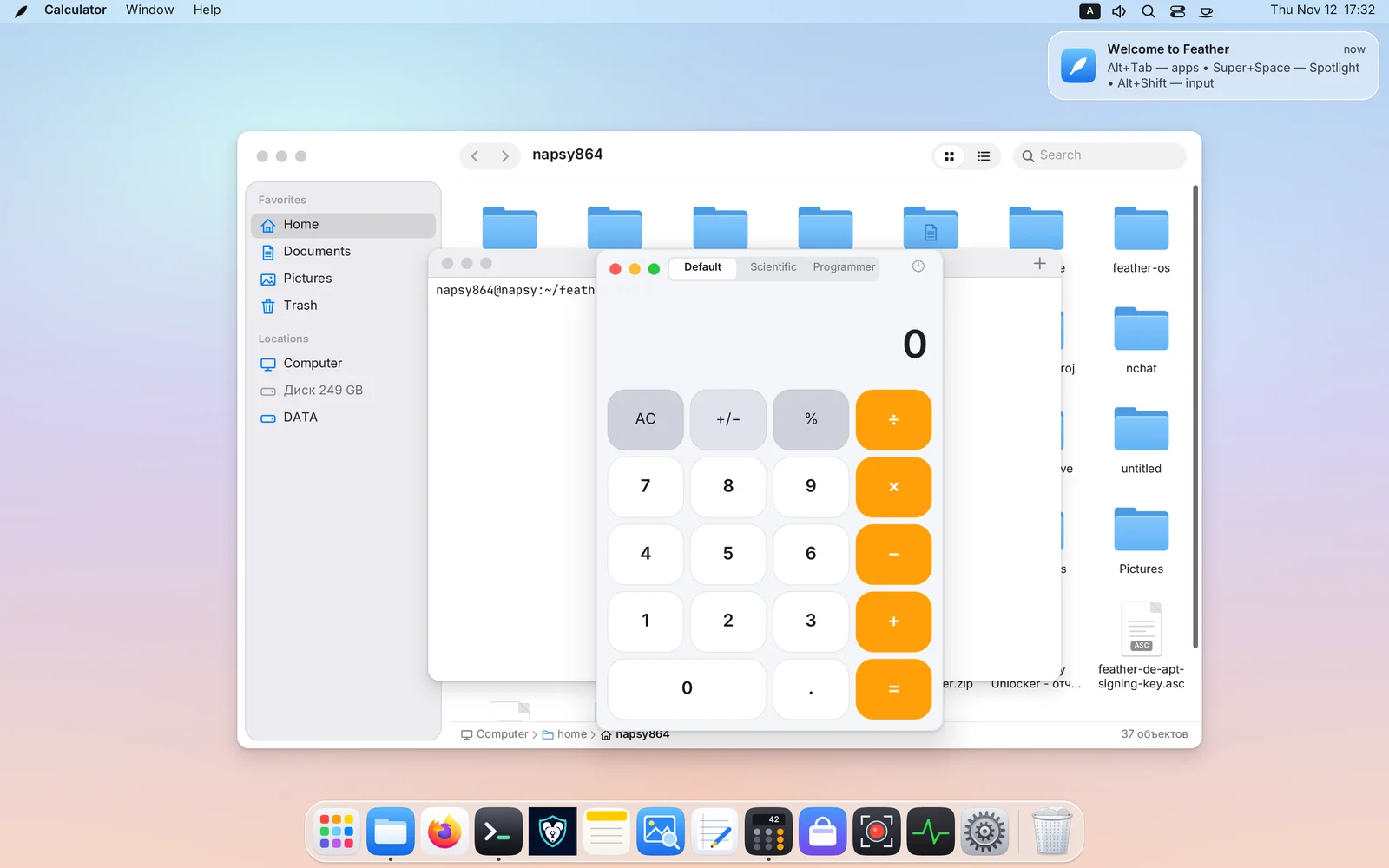
Speed is the design
Every metric has a budget. A change that exceeds it is a bug and does not ship.
No timers, no “just in case” redraws.
Scene and GPU: animations run at the full refresh rate.
Menus, Dock, search, drawers and settings combined.
Input and network run in the background and never stall a frame.
Compositor measurements: Radeon RX 580 at 4K with 200% scaling, and a nested 2880×1800 window. That is specific hardware, not a promise for every machine. The method and reports are public (in Russian).
Three window layouts. One per desktop
Up to 16 workspaces, each remembering its own mode. Try switching right here.
Free windows
The familiar classic: windows float and snap to halves and quarters of the screen.
- left halfCtrl+Super+←
- drag from anywhereSuper+LMB
- switch modeCtrl+Alt+M
Auto-tiling
Windows split the desktop with no overlap. Move the dividers with mouse or keys.
- focus neighbourSuper+←
- swap tilesSuper+Shift+←
- even 50 / 50Super+0
Scrollable ribbon
Every window is a full-height column. However many you open, they never shrink: the ribbon scrolls.
- scroll the ribbonSuper+wheel
- column widthSuper+R
- jump to the endSuper+End
Things other desktops don’t have
Ideas from macOS, from tiling compositors, and a few of our own — in one system.
Live glass on the GPU
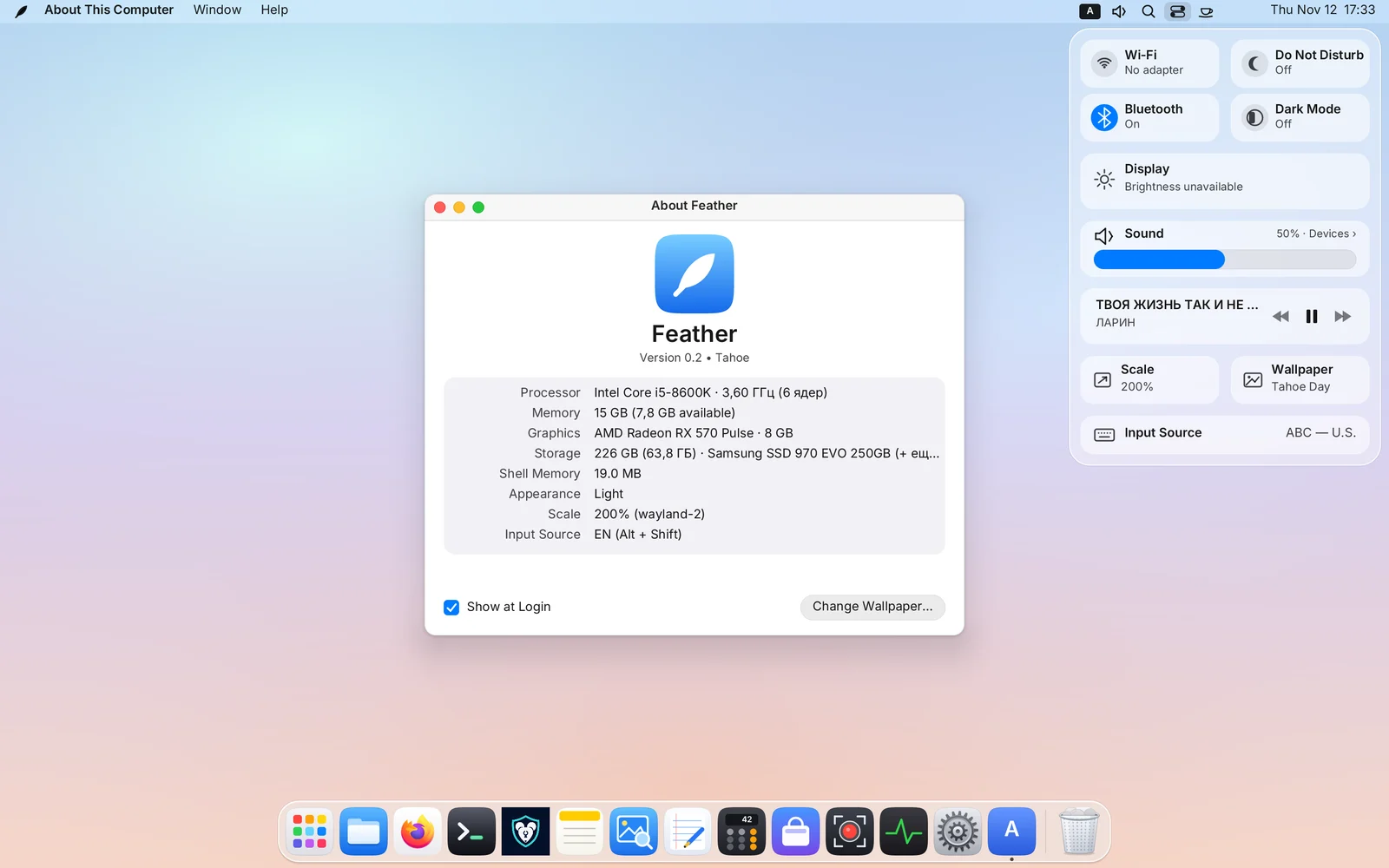
Panels, drawers, menus and the Dock refract and blur the live picture beneath them. On a still frame it costs the CPU nothing.
Search every menu command
All menu items of the active app in one search field, with paths and shortcuts.
Super+/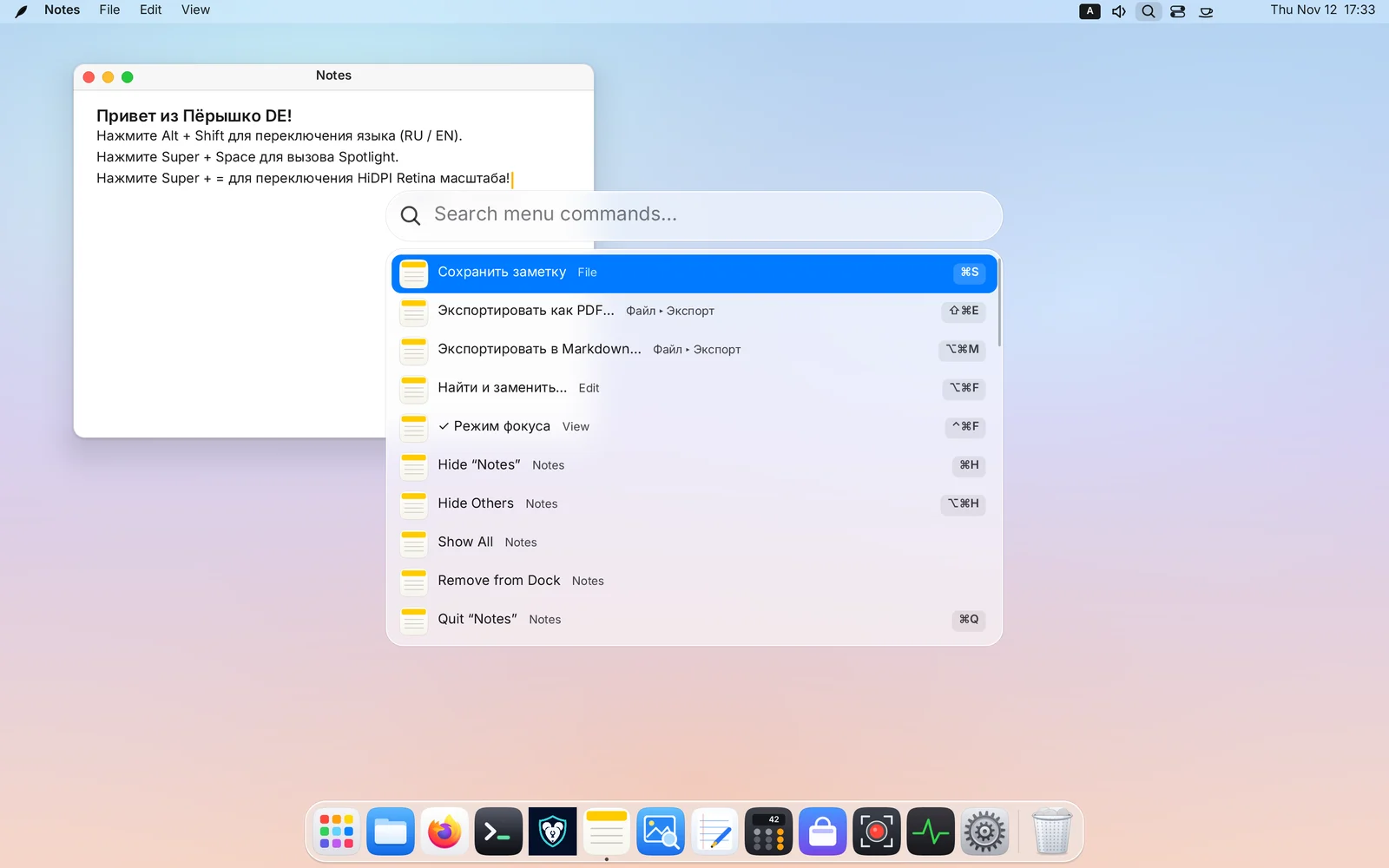
One tap on Super
A short tap opens a ring of apps around the pointer. A double tap returns to the previous window.
SuperGhost PiPVideo on top, clicks through
Pin a window above every workspace and make it transparent to the mouse: keep working right under it.
Super+Alt+P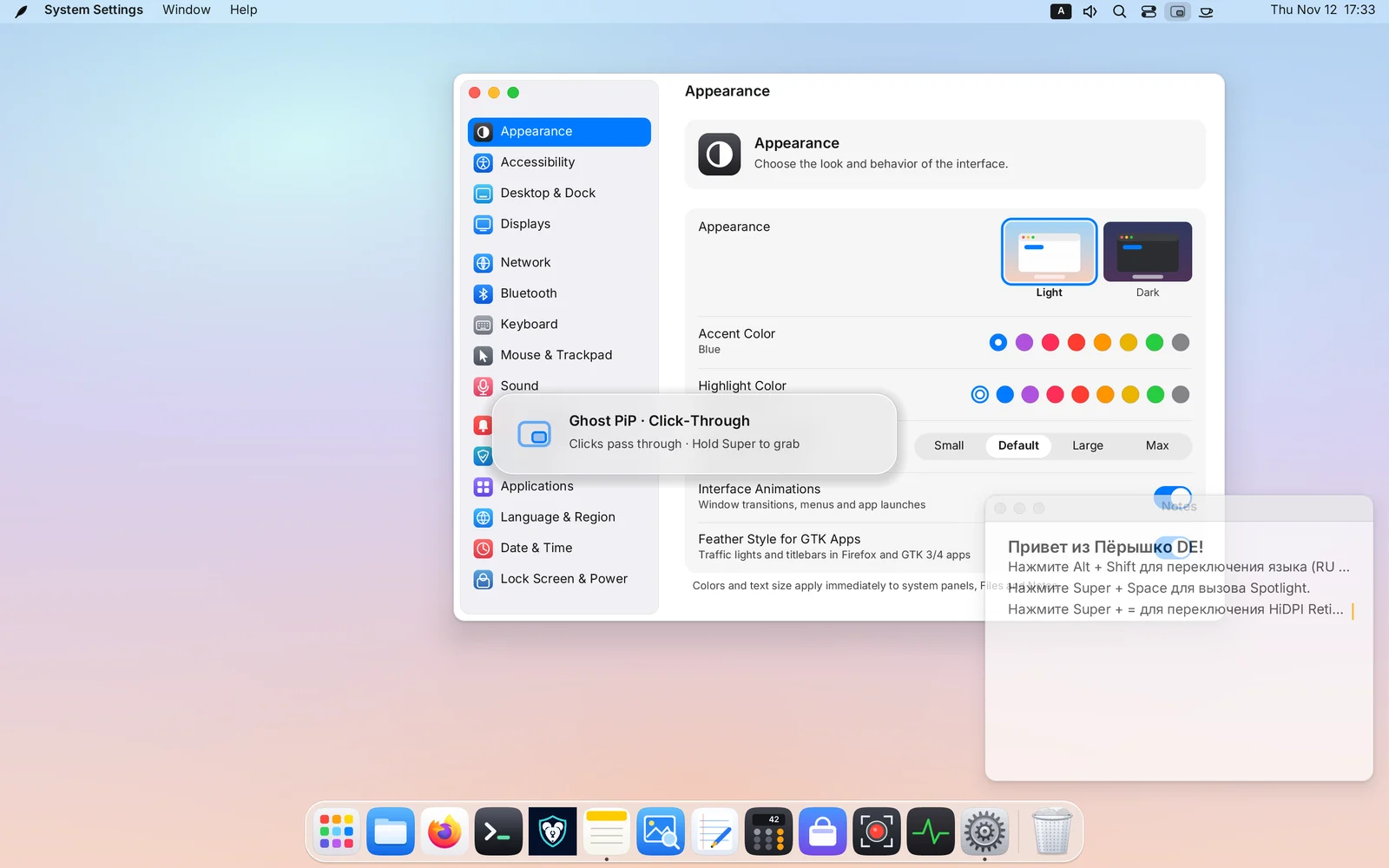
A drawer for the windows you need
Terminal, notes and chat slide over any workspace and tile themselves.
Super+S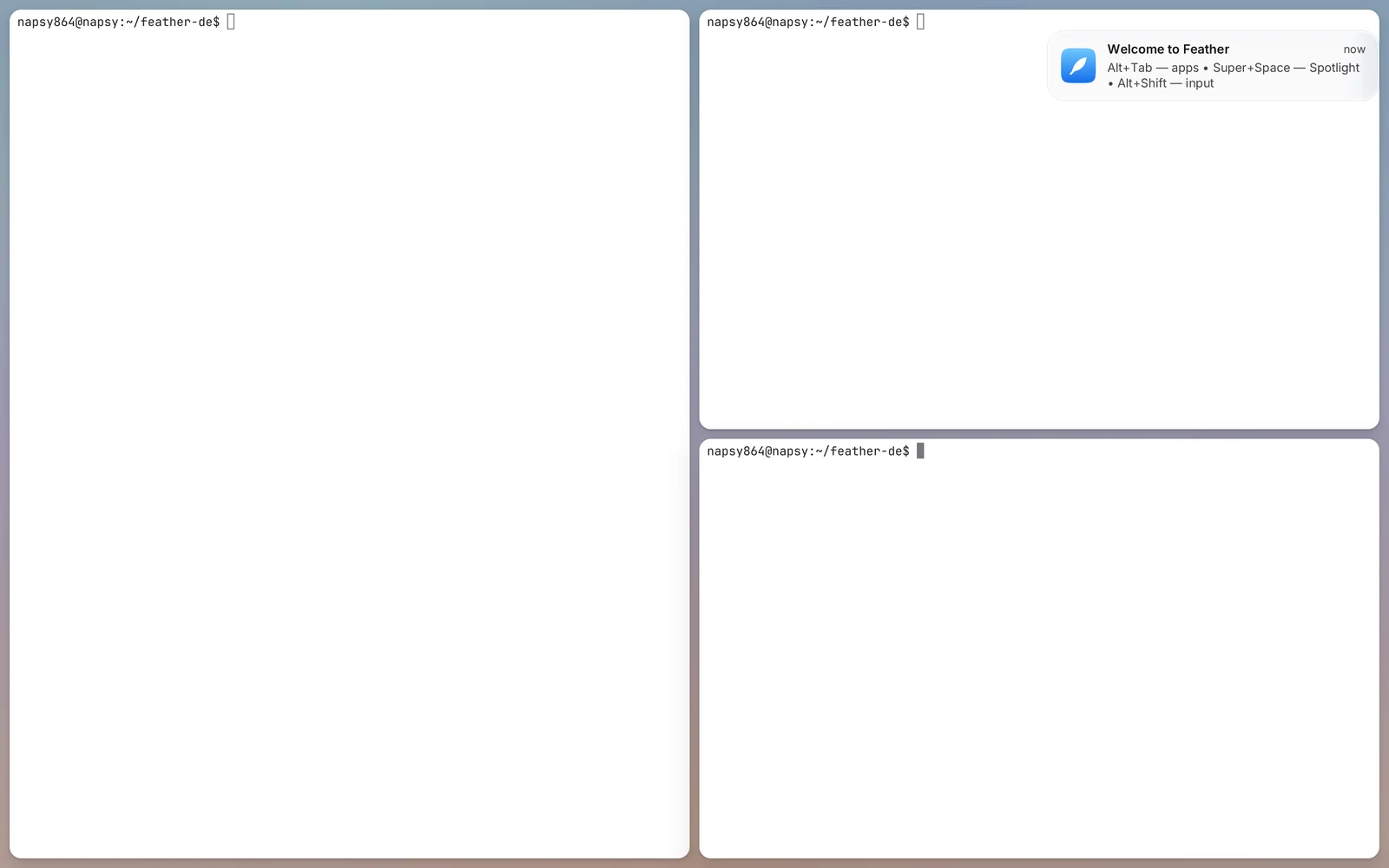
Shake the pointer while dragging
Drop files, images and text on a glass shelf, switch workspaces and pick them up there.
Super+D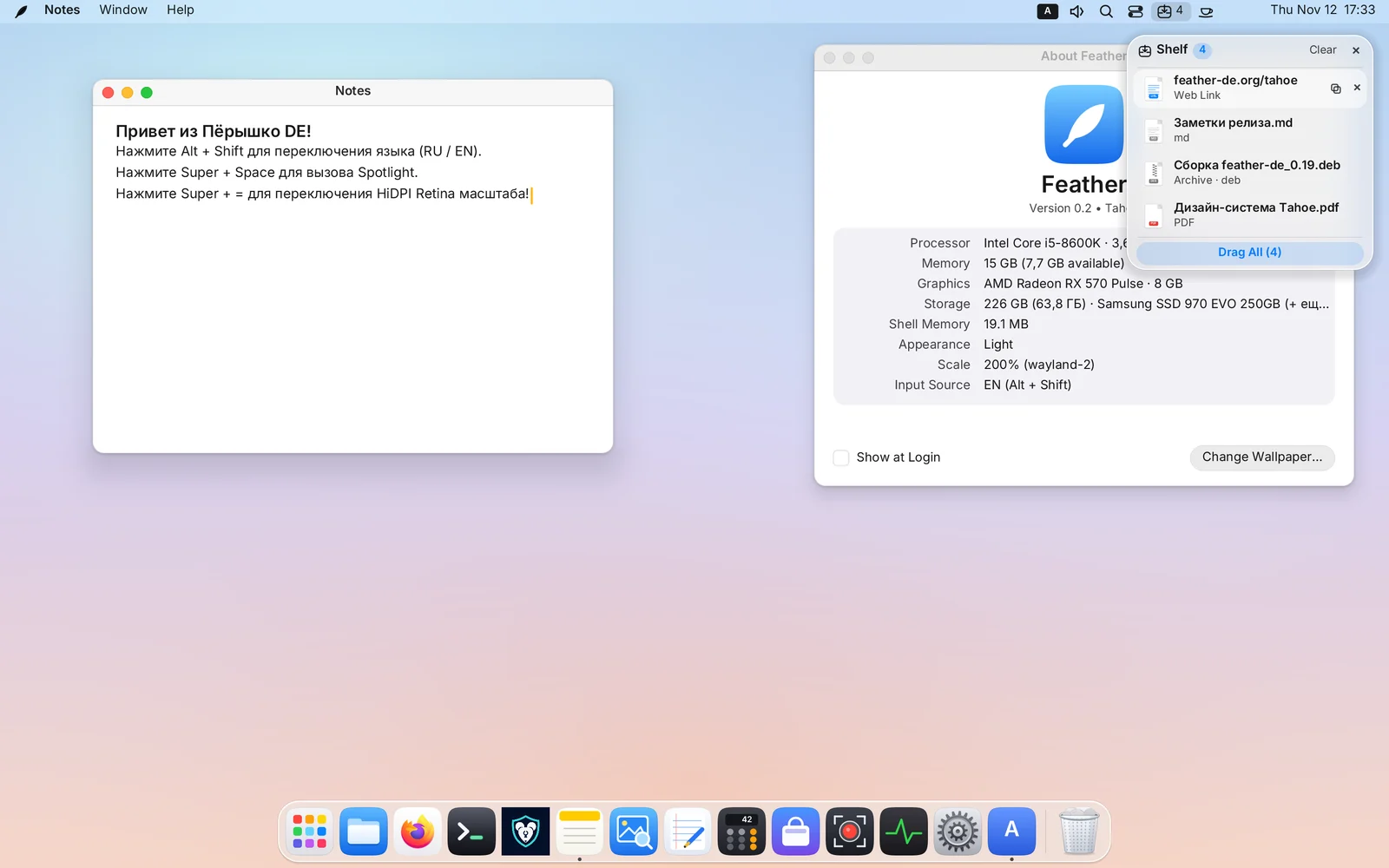
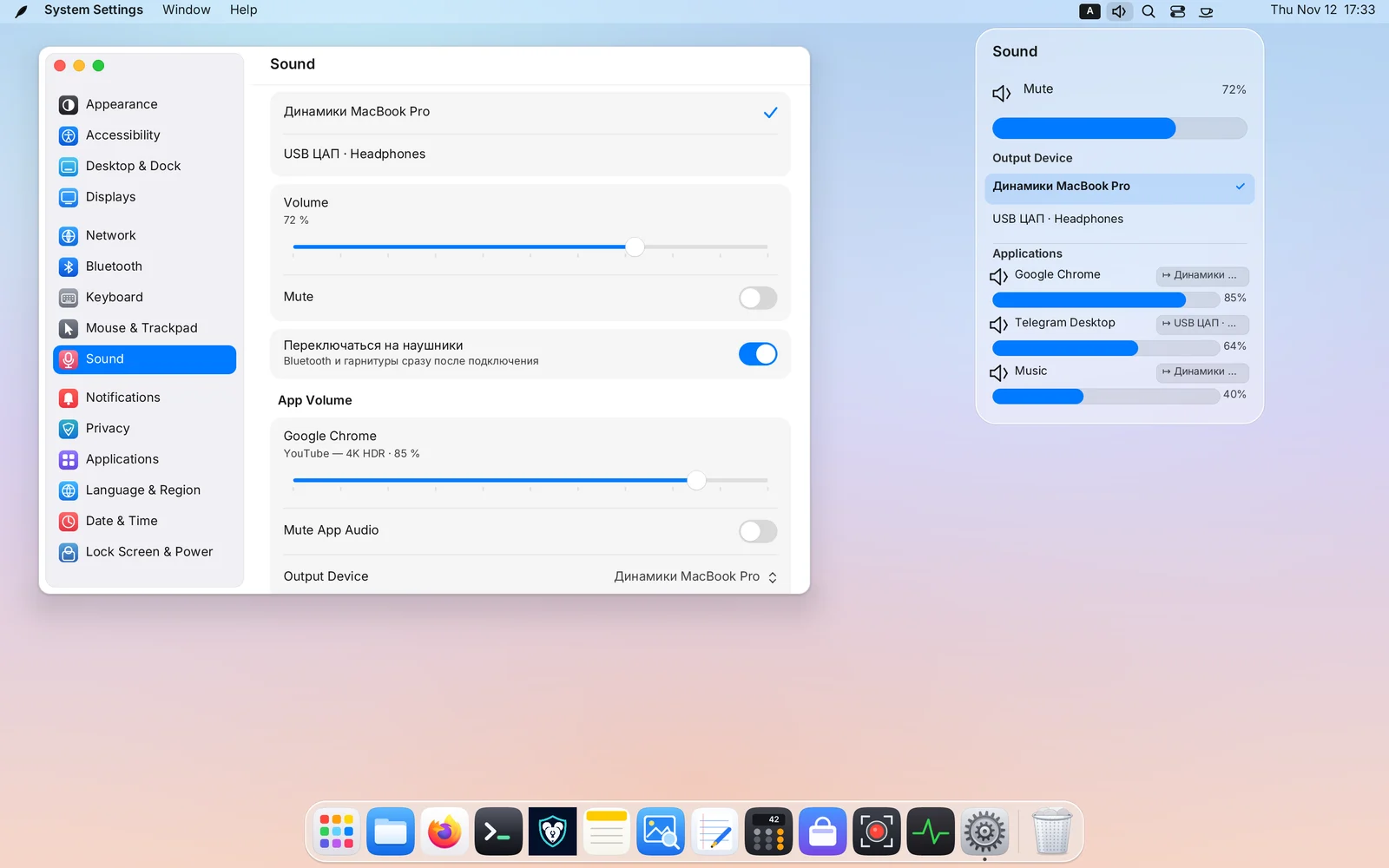
Volume for every app
A slider per application. Keep music on the speakers and send the call to your headphones.
Eight native apps in Rust
Built together with the shell: they start instantly and look like part of the system.

Files
feather-filesQuick Look on Space, Trash, and ZIP, 7z and RAR archives with passwords.

Terminal
feather-terminalIts own VT core, TrueColor, tabs and search across 10,000 lines of history.

Notes
feather-notesSearch, autosave and plain files on disk — no databases, no cloud.

Preview
feather-previewPhotos, SVG and multi-page PDFs with a thumbnail strip.
Text Editor
feather-texteditTabs, line numbers, find and replace, and syntax highlighting.

Calculator
feather-calcBasic, scientific and programmer modes with a history log.

System Monitor
feather-monitorProcesses and live graphs on the familiar Ctrl + Alt + Del.

Store
feather-storeSystem packages and the Flathub catalogue with one-click install.
Scriptable from the terminal
Windows, workspaces, audio and screenshots are available to scripts through featherctl and the org.feather.Shell1 D-Bus API. Add --json for machine-readable output.
$ featherctl space-mode 0 tape  # ribbon on this workspace
$ featherctl window pip 0 on ghost  # window into Ghost PiP
$ featherctl shelf add ~/Report.pdf  # file onto the Shelf
$ featherctl audio app-volume 41 60  # per-app volume
$ featherctl screenshot screen
/home/user/Pictures/Screenshot 2026-11-12 17-32.png
Eight original wallpapers
Made for Feather. Bring your own too: PNG, JPEG or WebP, with timed rotation.







Try Feather
Write the image to a USB stick and boot: the system runs straight from it. Or install the desktop with one command on Ubuntu and Arch.